OpenSCAD User Manual/First Steps/Positioning an object
We have already seen how to create a simple cuboid. Our next task is to attempt to use the translate positioning command to place an identical cuboid next to the existing cuboid. Type the data as shown below. There are a total of 4 lines of code. Press F5 or F6 function key when done to see the preview.
| Usage example 1 - positioning an object: | |
cube([2,3,4]);
translate([3,0,0]) {
  cube([2,3,4]);
}
|
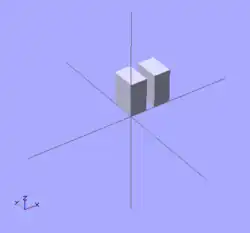 |
Translate Operator May Not End A Statement
Notice that there is no semicolon following the Translate Operator. An operator module must be followed by an Object Module.